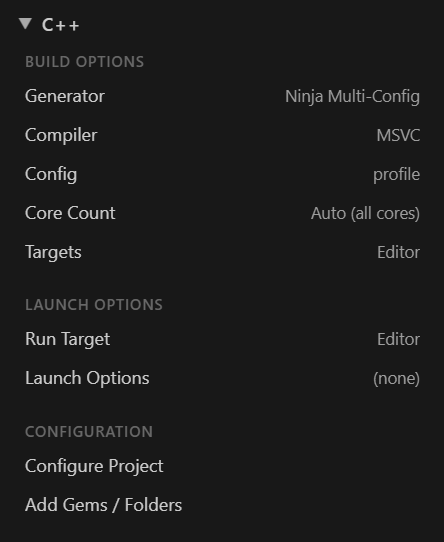
- Build Options: Generator (for example Ninja Multi-Config), Compiler (MSVC or Clang on Windows, Clang or GCC on Linux), Config, Core Count (Auto uses every core), and the Targets to build.
- Launch Options: the Run Target and any launch arguments. The picker offers every executable the project can produce: Editor and GameLauncher first, then other executable CMake targets and tools already built, plus Custom executable… for anything else.
- Configure Project runs the CMake configure, and becomes Stop Configure while it runs.
- Add Gems / Folders adds them to the live workspace, with no reconfigure and no reload.
Run in Debug, the bug icon, launches the selected target under VS Code’s C++ debugger, with the launch configuration generated for you. The C/C++ extension provides that debugger even when clangd provides IntelliSense.
The Advanced view, below the Lua Palette, manages extra CMake cache variables (-D flags) passed to Configure: toggles for LY_RENDERDOC_ENABLED and CMAKE_OBJECT_PATH_MAX, plus any custom flag. Flags are stored per project, and Apply (Reconfigure) pushes them into the CMake cache.