Dashboard
Everything runs from one O3DE Development Tools panel in the activity bar. It opens on a Dashboard: Build and Run up top, a row of utilities beneath, then collapsible C++, Lua, IntelliSense, and Setup & Onboarding sections.
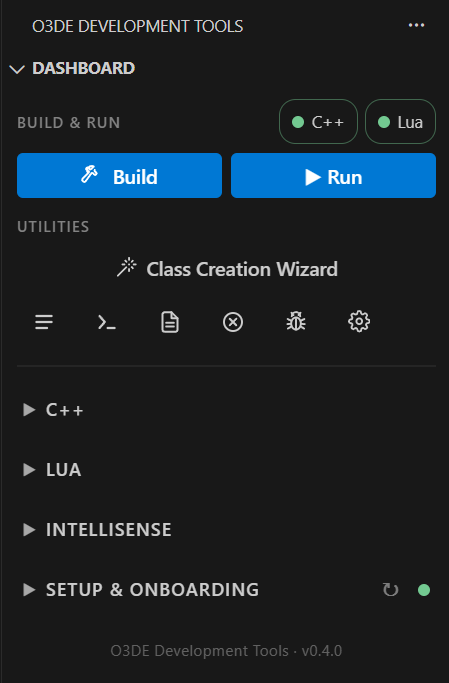
- Build builds the selected targets with CMake. Progress shows in the panel, full output streams to the O3DE Build Output channel, and the button becomes Stop Build while a build runs. Hotkey:
Ctrl+Alt+B. - Run launches the selected run target, the Editor by default. Press it again, or
Ctrl+Alt+R, and it force-quits the app and its child processes, Asset Processor included. Run is unavailable during a build, when binaries are half-written. - The C++ and Lua pills show whether each track is ready.
- Class Creation Wizard opens O3DE’s own component and EBus scaffolding tool, wired to your active engine and project.
- The icon row opens, left to right: the extension’s output channel, a developer terminal,
Editor.log,Error.log, Run in Debug, and the extension’s settings.